Posts

Cobbler Server with Client Machine MAC address authentication
Image
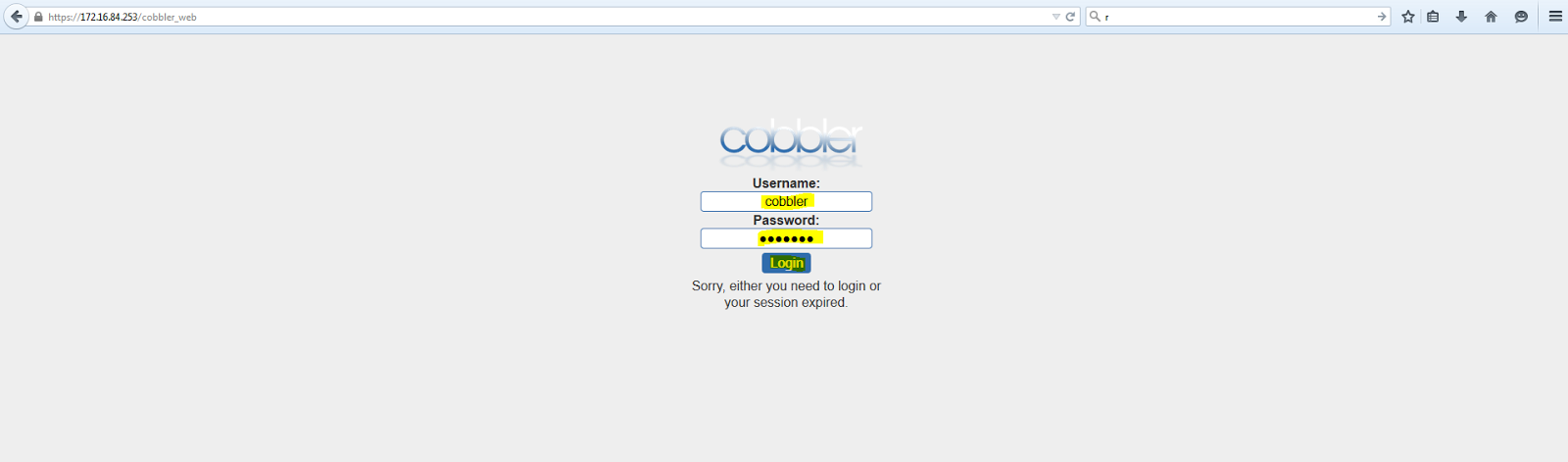
Cobbler Server with Client Machine MAC address authentication. This document is useful to set static IP address to Client Machine at the time of operating system installation. Cobbler Server map static IP address to client machine with the help of DHCP service and configure Static IP address, DNS , Gateway, Netmask and Hostname at the time of OS installation. Steps to configure Client MAC address in Cobbler boot server. Web Base GUI Mode Configuration. > Open Browser ( Internet explorer or Firefox ) and type the following URL. URL:- https://< Cobbler Server IP >/cobbler_web EG:- https://172.16.84.253/cobbler_web Default username for cobbler server is cobbler   Use the password for cobbler user which was set at the time of cobbler web installation. > In Configuration options select Systems . > In Systems select Create New System . > In General tab provide the following information. Name  : Give any suitable name to Server / V...

Secure Cobbler server Boot Menu

Image
Secure Cobbler server Boot Menu . This document will help to secured Cobbler PXE Boot server menu. Any machine boot from Network will not start operating system installation without password authentication. Steps to create secure Cobbler server PXE Boot Menu. > Go to pxe directory. Command: # cd /etc/cobbler/pxe > Create password for Cobbler server authentication. Command: # openssl passwd -1 Copy the password $1$y6vJeUyA$cCFQ.357seE3eo6dD7J611 >  Edit the file pxedefault.template Command: # vim pxedefault.template > Add the following entry which is marked in yellow in pxedefault.template file screenshot. MENU MASTER PASSWD $1$y6vJeUyA$cCFQ.357seE3eo6dD7J611 and set LOCALBOOT 0   Note: $1$d5AKe9v6$5KnPn4tqdnzT.zfI5Bhar0 ---- This is the password which we have created with command openssl passwd -1 :wq       ------ Save the file and exit. > Edit the file pxeprofile.template Command: # vim ...

Create Virtual Switch

Image
Create Virtual Switch (Private / Internal / External). Steps to create Private Virtual Switch. Note:- Private Virtual Switch use to connect Host Server Virtual Machines. Theses Virtual  Machines are not able to connect Host server and External Network. Private Virtual Switch used to connect Lab testing Virtual Machines those are not required to access Host and External Network. > In Server Manager click on Tools and select Hyper-V-Manager option. > Select Hyper V Server from Hyper-V-Manager Datacentare. > Go to Action Tab and select Virtual Switch Manager... > Select Private option and than click on Create Virtual Switch > Give the Name: to Virtual Switch and select Private Network . Click Apply and OK button. Steps to create Internal Virtual Switch. Note:- Internal Virtual Switch use to connect Host Server Virtual Machines and Host server. Theses Virtual  Machines are able to connect Host server but not External Netw...

Access Cobbler with Web Interface

Image
Access Cobbler with Web Interface . Easiest way to configure Cobbler server settings with the help of Web based GUI interface. Steps to access Cobbler Server with Web interface. > Open Browser (Internet explorer or Firefox) and type the following URL. URL:- https://< Cobbler Server IP >/cobbler_web EG:- https://192.168.0.65/cobbler_web Note:- 192.168.0.65 server is my cobbler server   > Default username for Cobbler server is cobbler     Use the password for cobbler user which was set at the time of cobbler web installation. > Once loging to the cobbler web, You will get the following screen to configure cobbler server settings and add new configuration. EOF

Cobbler Server with Kickstart file

Image
Cobbler Server with Kicktart file . Prerequisites. > Cobbler server installed and configured on CentOS 6.5 Bit 64. Use the following URL to install and configured Cobbler Server. URL:- http://sappyit.blogspot.in/2015/02/cobbler-installation-and-configuration.html Steps to Add Kickstart file in Cobbler Server. > Go to Kickstart directory. Command: # cd /var/lib/cobbler/kickstarts/ > Create new kickstart file with vim edit command. Command: # vim centos65.ks Note: I have created < centos65.ks > file for CentOS version 6.5 operating system installation. > Add the following configuration in centos65.ks file. Note: Following kickstart file design for KVM server automated installation in Runlevel 3. You can configure kickstart file as per your lab requirement.   install # Use http as the package repository # It is where are the image files url --url http://192.168.0.65/cobbler/ks_mirror/CentOS_6.5-x86-64/ # Use the text installation inte...

Cobbler Installation and Configuration

Image
Cobbler Installation and Configuration. Prerequisites. > Installed minimum CentOS 6.5 / RHEL 6.5 Bit 64 OS > Internet should be enabled on Linux server to download packages > Root or sudo access to install Cobbler packages. > YUM Server configured properly to download the packages Steps to install Cobbler Server.  > Disable selinux settings. Command: # vi /etc/selinux/config                       ----- Edit config file SELINUX=disabled                                              ----- Disabled selinux :wq                                     ...